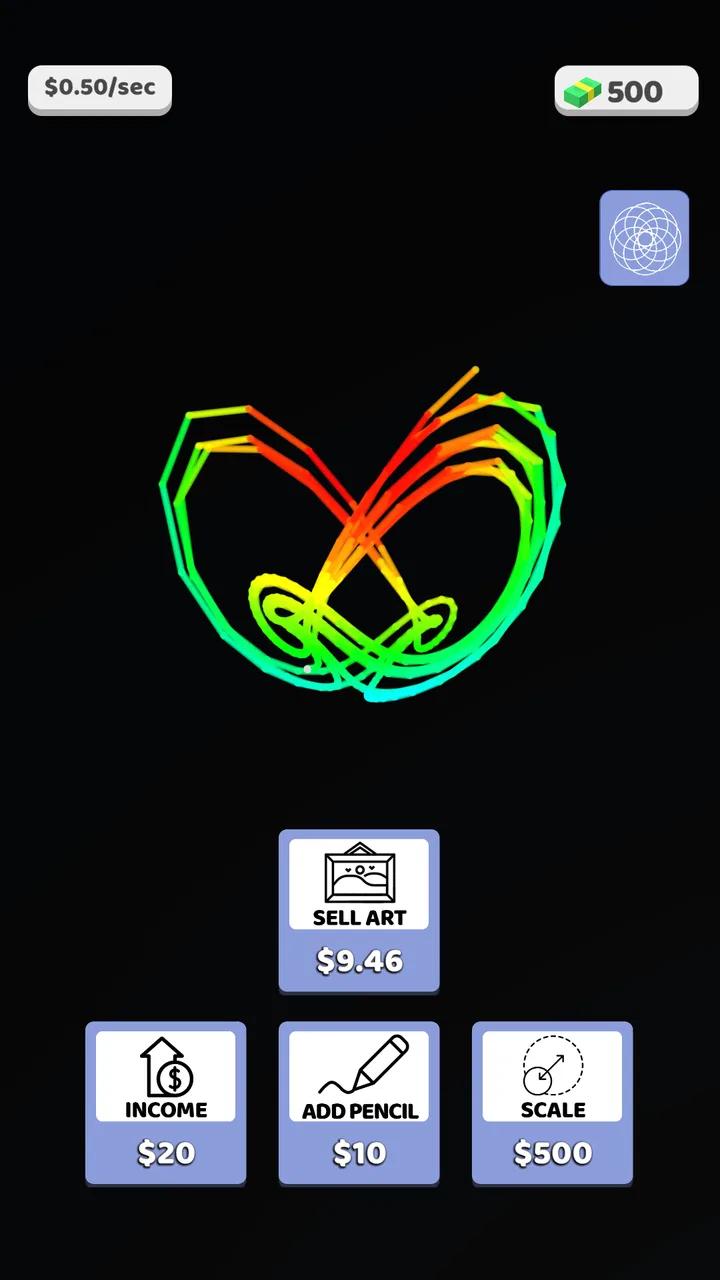
Spiro Art ASMR
- 4.0
- Rating
- 1.00M
- Installs
- Free
- Price

 Analysis by App-foxy
I tried Spiro Art ASMR expecting a quick color-and-pattern toy, and that is exactly where this simulation game makes its strongest impression. It turns the familiar spirograph idea into a simple visual activity: choose colors, watch lines build a design, and enjoy the gradual transformation from an empty space into something decorative. The appeal is less about winning and more about controlling a small creative process without needing drawing skill.
That makes it an easy game to recommend for short breaks, especially when I want something calm rather than competitive. Rollic Games keeps the presentation approachable, and the colorful-art focus is clear from the first moments. At the same time, the simplicity has limits. If you are looking for a deep drawing tool, a long-term management simulation, or a game with demanding objectives, this will probably feel too light.
How the creative decision-making works
The central decision is not whether I can draw well, but how I want the final pattern to feel. Color choice matters more than artistic precision. A bright combination can make the result look playful, while a darker or more restrained palette can produce something calmer. Because the design develops gradually, I can also judge whether the image is becoming balanced or visually crowded before it is finished.
You May Also Like

 Blood Strike: 2.5 Anniversary
Blood Strike’s Loadouts Turn Every Drop Into a Tactical Gamble
A close look at Blood Strike’s custom loadouts: how fast access to signature weapons reshapes its battle royale rhythm, rewards preparation, and narrows the gap between fights.

 Pandora - Music & Podcasts
Pandora’s Music Is Easy to Start, but Harder to Recover
Pandora’s strength is its low-effort path from a seed to a station. Its weak spot is how much confidence it asks you to place in connection, setup, and quiet recovery.

 8 Ball Pool
 Is Built on Rivalries, Rematches, and Routine
A close look at the rivalries, rematches, shared routines, and unanswered safety questions that turn a quick pool match into a persistent mobile community.

 Samsung Music
’s Quiet Strength Is Playing What You Already Own
Its reach comes less from spectacle than from dependable access to a personal library. That simplicity is both the app’s strongest retention engine and its ceiling.

 AccuWeather: Weather Radar
AccuWeather Review: A Quick, Clear Forecast for Everyday Decisions
For everyday plans, the best forecast is the one you can understand quickly. AccuWeather makes rain timing, radar, and local conditions easy to act on, with a few trade-offs.

 Hill Climb Racing
Why Hill Climb Racing Still Turns Crashes Into One More Run
A tiny car, a bumpy hill and one more upgrade: Hill Climb Racing keeps resurfacing because its simple chaos makes every near-miss feel personal.
More From Our News Desk



I found it useful to treat each creation as a small composition rather than tapping through it without thought. I usually start with one dominant color, add a contrasting shade, and then use a third color only when the design needs separation. This approach prevents the screen from becoming a noisy collection of equally strong tones. The game is most satisfying when I make a choice, watch its effect, and adjust my next choice accordingly.
That is also where the simulation category fits. It does not simulate a complex business, vehicle, or life system. Instead, it simulates the gradual construction of decorative art. The pleasure comes from observing a process and influencing its appearance. The best results come from planning the palette before reacting to the picture.
For a realistic everyday use case, I can see myself opening it while waiting for a coffee, taking a short break between tasks, or handing it to a child who wants a colorful activity without complicated instructions. It asks for attention, but not the kind of concentration required by a puzzle or strategy game. I can stop thinking about work for a few minutes and focus on how colors interact.
Small choices that improve the result
One practical habit is to avoid using every attractive color immediately. A color may look appealing alone but compete with the rest of the design once repeated. I get better-looking patterns by deciding which shade should lead and which ones should support it. This is a simple rule, but it gives the activity more intention than random selection.
I also prefer to pause mentally after each major visual change. The temptation is to continue quickly because the process is relaxing, yet waiting a moment helps me notice whether the pattern has enough contrast. If two colors are too similar, the design can lose definition. If every color is intense, nothing feels like a focal point.
A second useful approach is to use the game as a mood-based activity. When I want something energetic, I choose vivid combinations and accept a busier result. When I want to unwind, I keep the palette narrower. This gives the same basic interaction a little more variety without pretending that the game has the depth of a full art application.
Where risk and reward appear
The risk here is visual rather than strategic. A color decision can make the final image more appealing, or it can flatten the contrast and leave the design feeling messy. Because the activity is forgiving, the cost of a poor choice is usually limited to an unsatisfying picture rather than lost progress or a difficult restart. That low pressure is a strength for casual players.
The reward is the reveal. Watching a pattern take shape creates a mild sense of anticipation, even though the outcome is decorative rather than competitive. I enjoy the moment when separate lines begin to look like a deliberate design. This is the part that gives the game its relaxing, ASMR-oriented identity: the visual buildup is the main event.
However, the low stakes also reduce tension. Players who enjoy making high-risk decisions, protecting a score, or recovering from failure may find little to push against. There is no reason to optimize every move unless I personally decide that creating a pleasing image is the objective. That makes the experience accessible, but it also means motivation depends heavily on whether I enjoy the process itself.
The free price makes experimenting easy, although the in-app purchase model is worth keeping in mind. Individual items cost $2.99, so I would approach purchases carefully rather than assuming every extra is necessary. For me, the sensible way to evaluate the game is to use the free experience first and decide whether any optional item genuinely adds enough value to justify its cost. The game works best as a casual pastime, not as something I would spend on impulsively.
Adapting instead of following a fixed plan
My first instinct was to choose colors before seeing how the design developed. That was not always effective. A better method is to adapt after each stage: if the image already has strong contrast, I can introduce a calmer color; if it looks flat, I can choose something that separates the next layer. This turns a very simple activity into a small exercise in visual feedback.
That adaptation is especially helpful for younger players. They can learn that a choice changes the overall result without facing a harsh failure state. I would still describe the game as suitable for everyone rather than as an educational art tool, but it naturally encourages basic ideas about contrast, repetition, and balance. Adults can use the same process more deliberately, treating each pattern as a quick experiment.
Another adjustment is knowing when to stop chasing a perfect result. Since the game is built around colorful visual creation, I can easily spend too long trying to improve a pattern that was already pleasant. I get more variety by accepting some imperfect designs and moving on. The value is in making several different choices over time, not in forcing every single image to become a masterpiece.
Players who dislike repetition should pay attention to this point. The core pleasure comes from a familiar cycle of selecting or observing color and watching art develop. If that cycle does not feel rewarding after a few attempts, additional play is unlikely to change the experience dramatically. I would choose a more feature-rich drawing app for freeform control, or a conventional puzzle game for clearer goals and stronger challenge.
What remains interesting over time
Long-term depth is modest, and I think it is better to be honest about that. This is not a game I would install expecting a large progression system or a complicated strategic layer. Its staying power comes from short sessions, visual relaxation, and the desire to see another combination. That can be enough for someone who wants a dependable five-minute activity, but not for someone who needs constant new mechanics.
The game has reached over 1 million installs and holds a 4.0 average from around 5.1 thousand ratings, which suggests a broad casual audience has found the concept appealing. I would read those figures as evidence of accessibility rather than proof that it will satisfy every player. A simple art simulator can be widely approachable while still feeling repetitive to users who want more control.
Its current version is 3.0.9, and the minimum operating-system requirement is Android 7.0. That makes it practical for many older Android devices, though the experience will still depend on the phone’s general performance and screen quality. On a larger, brighter display, the color-focused presentation is naturally easier to appreciate than on a small screen with muted output.
The age rating is Everyone, which matches the uncomplicated visual concept. I would feel comfortable suggesting it as a family-friendly casual game, while still explaining that it is an activity for relaxation rather than a substantial creative suite. Children may enjoy the colors immediately; adults may appreciate the quiet rhythm when they need a break from more demanding apps.
One way to extend its usefulness is to set a personal theme for a session. I might try warm colors, cool colors, or a deliberately limited palette and compare the results. This does not add a hidden mode or new system; it is simply a player-created challenge that gives the basic interaction more direction. Another option is to make one design quickly and a second more carefully, then notice how planning changes the outcome.
I would not use it as a replacement for a serious drawing application. Those tools are better when I want to place individual marks, edit details, save a project for later work, or control composition precisely. I also would not choose it over a traditional puzzle game when I want measurable progress. Its strength is the middle ground between watching a calming visual process and making small creative decisions.
My strategy verdict for casual players
After spending time with Spiro Art ASMR, I see it as a focused relaxation game rather than a full creative platform. The strongest reason to try it is that it makes colorful pattern-making approachable: I do not need drawing experience, a long session, or a complicated tutorial. I can open it, make a few choices, and enjoy a visual result without pressure.
I would recommend it to people who like gentle simulation games, decorative art, and short activities with a satisfying reveal. It is also a reasonable choice for families seeking an Everyone-rated game with an uncomplicated premise. The free entry point makes testing the experience straightforward, while the optional $2.99 items mean I would keep spending selective and based on actual use.
I would skip it if I need a strong sense of progression, competitive tension, detailed creative control, or a constantly changing challenge. The game’s charm depends on accepting repetition as part of the relaxation. Once I understand that, its limitations become easier to judge: it is not trying to replace a drawing studio or a strategy game, and it should not be evaluated as though it were one.
My practical advice is to play slowly, choose a leading color, watch how the pattern responds, and use contrast deliberately instead of selecting every shade at once. That small amount of planning gives the activity more personality and makes each result feel less accidental. If the visual buildup itself is what you enjoy, this is a pleasant companion for idle moments. If you need deeper decisions, look elsewhere.
Overall, Rollic Games has made a colorful, accessible simulation built around the simple satisfaction of seeing art emerge. Its 4.0 average reflects a generally positive casual appeal, while the limited strategic depth explains why it will not be equally compelling for everyone. I would keep it installed for relaxed breaks, but I would approach it with the right expectation: this is a small, soothing art-making loop, and its success depends on whether that loop is enough for you.
FAQs for Spiro Art ASMR
01What is Spiro Art ASMR, and how does it work?
Spiro Art ASMR is a relaxing drawing app that lets you create intricate spiral and geometric artwork with simple touch controls. After choosing a pattern, color, or drawing style, you guide the tool around the canvas to produce symmetrical designs. The app combines creative play with calming visual effects, making it suitable for users who enjoy digital art, repetitive movements, and ASMR-inspired relaxation.
02Is Spiro Art ASMR suitable for children and beginners?
Yes, Spiro Art ASMR is generally easy for beginners because it does not require professional drawing skills or previous experience. The controls are straightforward, and users can experiment freely without worrying about making permanent mistakes. Children may also enjoy it, although parents should review the app’s advertisements, in-app purchases, privacy settings, and any age recommendations before allowing younger users to play independently.
03Does Spiro Art ASMR work without an internet connection?
Many of the basic drawing features in Spiro Art ASMR can usually be used offline after the app has been installed, which is convenient for travel or quiet moments without Wi-Fi. However, certain functions may depend on an internet connection, including advertisements, online content, cloud-related options, updates, or sharing features. Offline availability can also vary between Android and iOS versions.
04Are there advertisements or in-app purchases in Spiro Art ASMR?
Spiro Art ASMR may include advertisements or optional purchases, depending on the version available in your region and the platform you use. Ads can sometimes appear between activities or while unlocking additional tools, colors, or creative options. Before downloading, check the app-store listing for current pricing details, subscription information, and whether a paid upgrade is available to reduce advertising.
05Can artwork created in Spiro Art ASMR be saved or shared?
The app is designed to let users enjoy the creative process and, in supported versions, save finished spiral artwork to the device or share it through other applications. Export options may differ depending on the operating system, app version, and permission settings. If saving your designs is important, verify that the app requests photo or storage access and test the export function before creating a large collection.
Pros
- Simple controls make it easy for beginners to create designs quickly.
- ASMR-style visuals and sounds can feel calming during short breaks.
- Colorful patterns provide plenty of room for casual creativity.
- Works well as a relaxing
- low-pressure activity for different age groups.
- Finished creations can be saved and shared with friends or family.
Cons
- The relaxing gameplay may become repetitive after extended sessions.
- Some advanced tools or designs may require in-app purchases.
- Ads can interrupt the experience
- depending on the current app version.
- The app offers limited value for users seeking challenging gameplay.
- Older devices may experience slower performance with detailed animations.

Spiro Art ASMR
Gallery